What is Refer & Earn?
Refer and Earn is an exclusive, win-win feature for both you and the teachers you refer. You will receive a unique discount code to share with other teachers. When they make a purchase using your code, they get a 10% discount, and you earn 10% question papers credited to your account.How does it work?
For every test generator purchased using your coupon code, you will receive 10% of the total number of question papers credited to your account. For example, if a user buys 100 question papers with your coupon code, 10 additional papers will be added to your account. These credited papers will remain valid until the expiry date of your current package.How to Enable Refer & Earn?
On the Test Generator dashboard, scroll the page down to the My Account section and choose Refer & Earn there.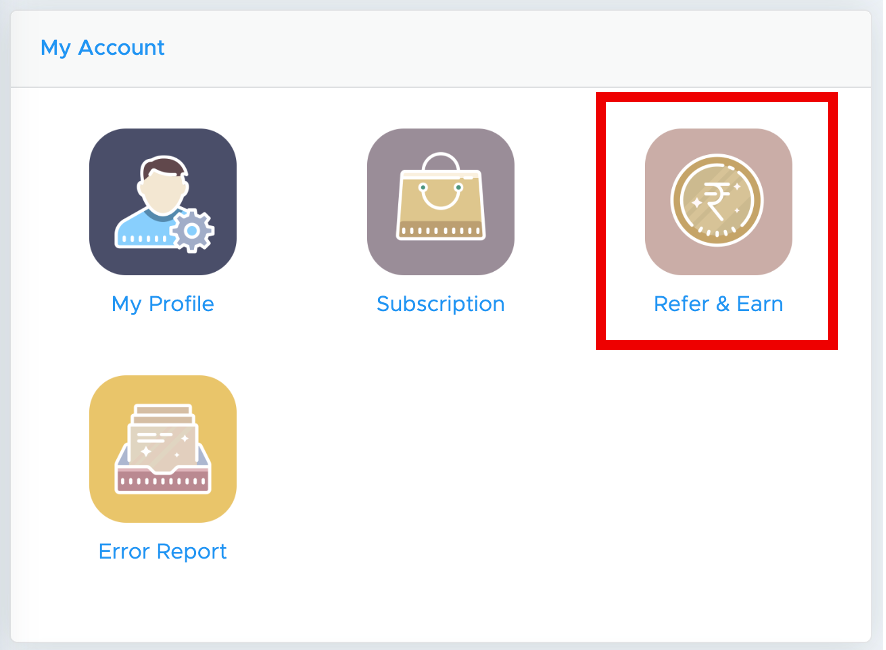
How to Redeem Papers?
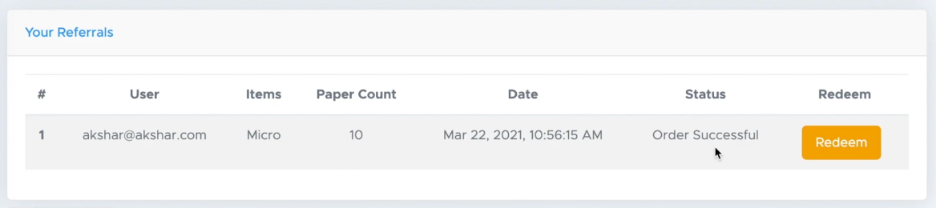
You will find the Redeem option in the Refer & Earn section. Simply click on Redeem to add the earned question papers to your account.