

Question Paper PDF
Examin8.com provides the option to create question papers in PDF or Word format with your name and logo. Here is a sample PDF file (with institute header):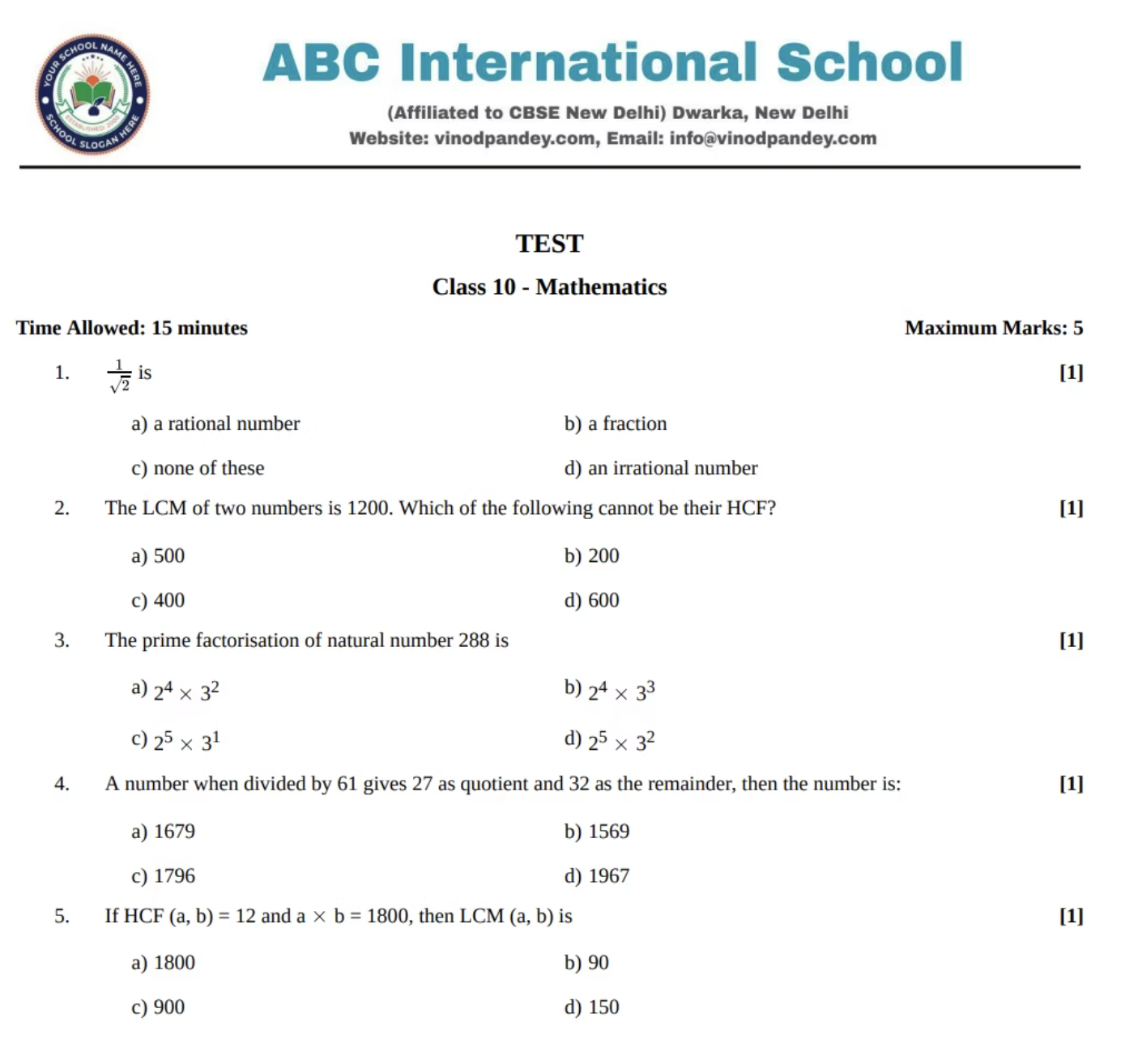
Video Tutorial
https://www.youtube.com/shorts/lu0QDnB5CikAccess Test Generator
There are three ways to access Test Generator:-
On myCBSEguide App: Go to Google Play Store, search for myCBSEguide App. The most important step is to UPDATE the myCBSEguide app to the latest version. Then open the myCBSEguide app and change your profile to TEACHER from settings on the top right. Then, the Test Generator link will automatically appear on the dashboard.
-
On Examin8 App: Go to Google Play Store, search for Examin8 App and update it to the latest version. Open the app and select your profile as TEACHER to proceed.
-
On Google Chrome: Simply visit https://examin8.com on Google Chrome to access Test Generator. Open the site and click Start Now.

Share on WhatsApp as PDF
Here are the steps to open the question paper PDF and the solution PDF:- On the Examin8 Test Generator dashboard, go to MY PAPERS.
-
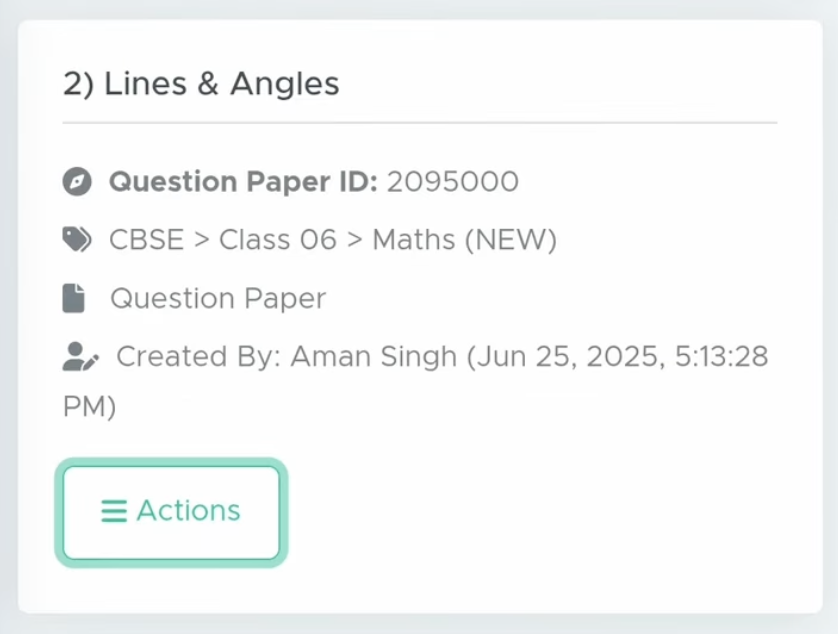
Now browse your question paper and click the ACTIONS button.
-
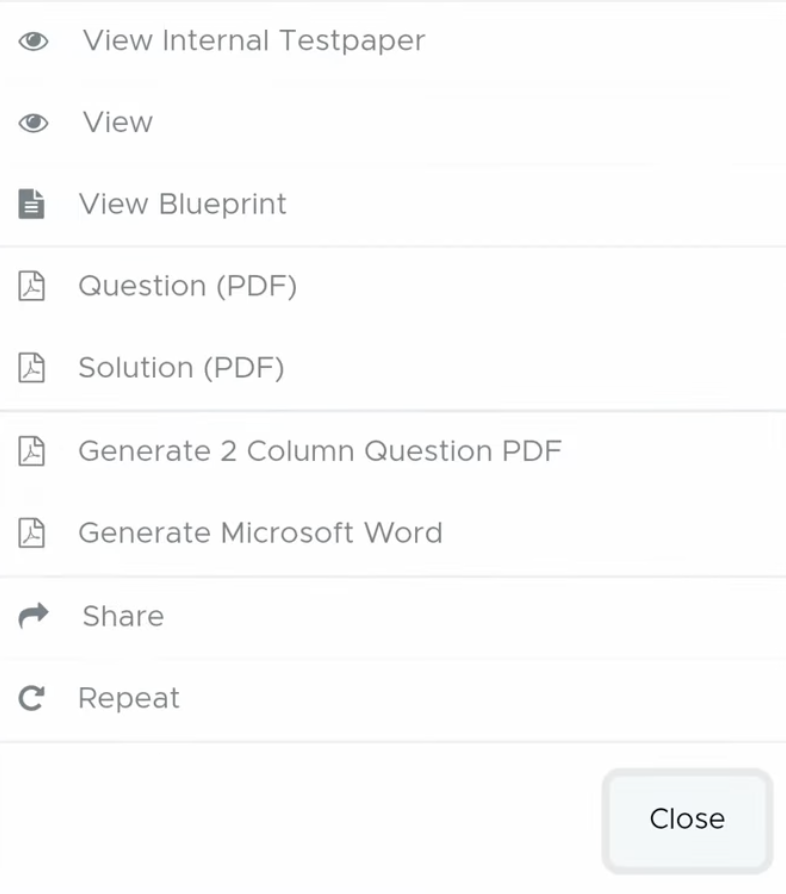
After that, click Question PDF or Solution PDF there.
-
Then, click on three vertical dots.

-
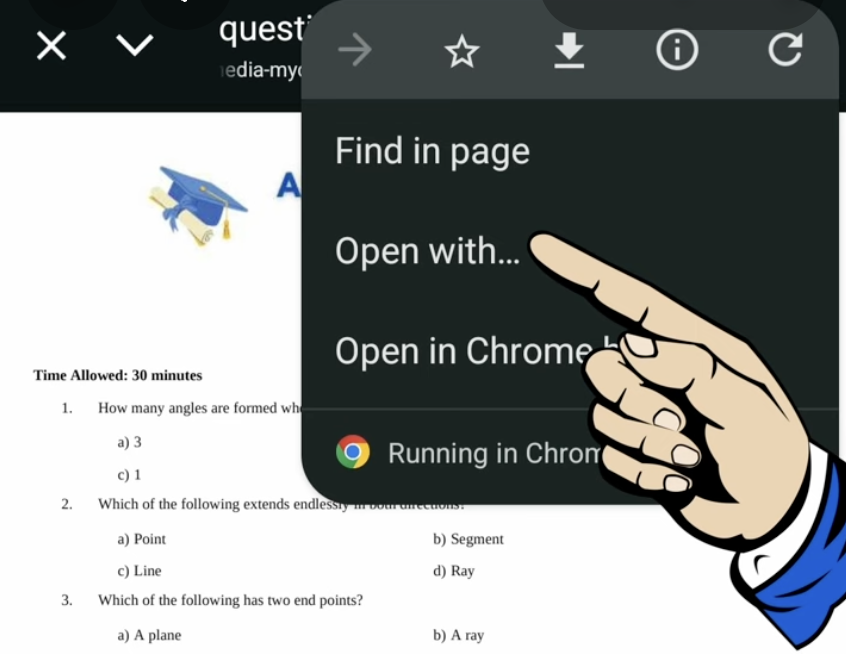
and click on OPEN WITH there.
-
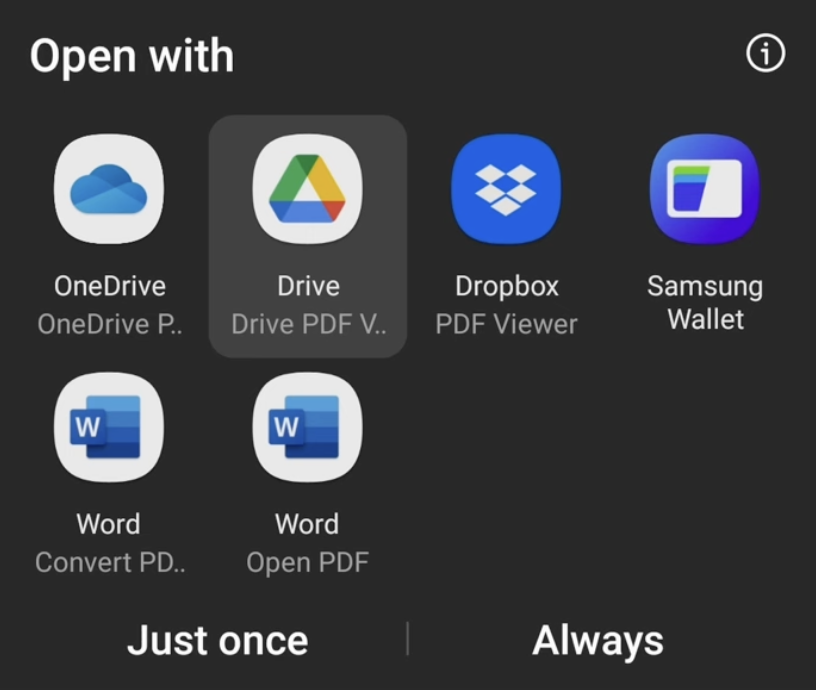
Choose open with Google Drive (recommended) or any PDF viewer. Don’t use WPS Office; it may not work.
-
Now click again on the three dots.

-
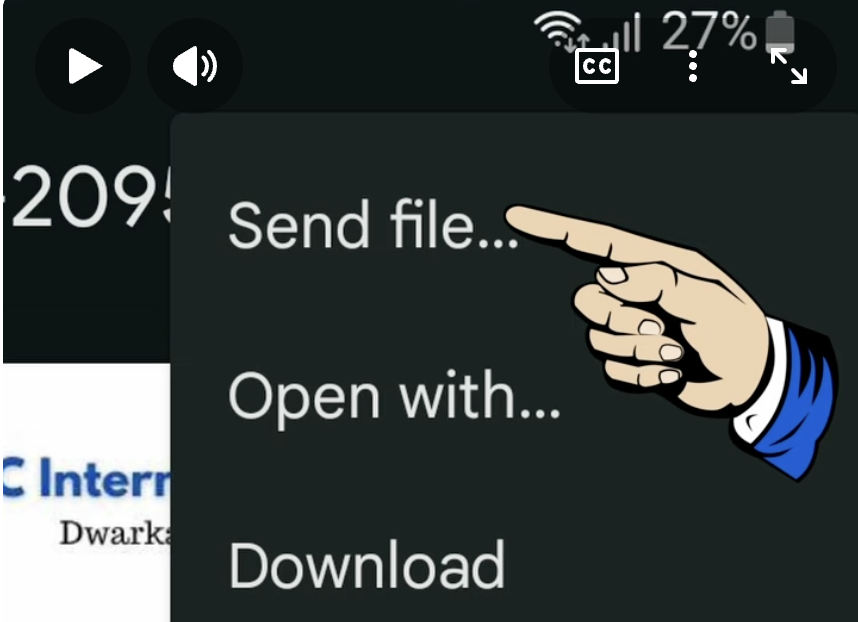
Then, to share it on WhatsApp, click Send file.
-
Then select WhatsApp from the options.
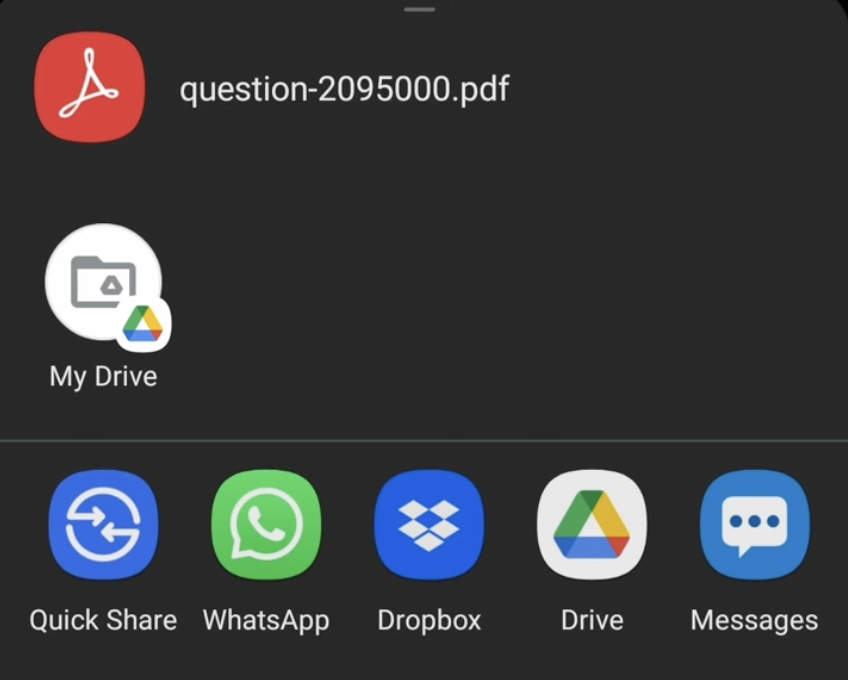
- It’s done.